
API Lateral Cephalometric Points Detection API
🔹 Description:
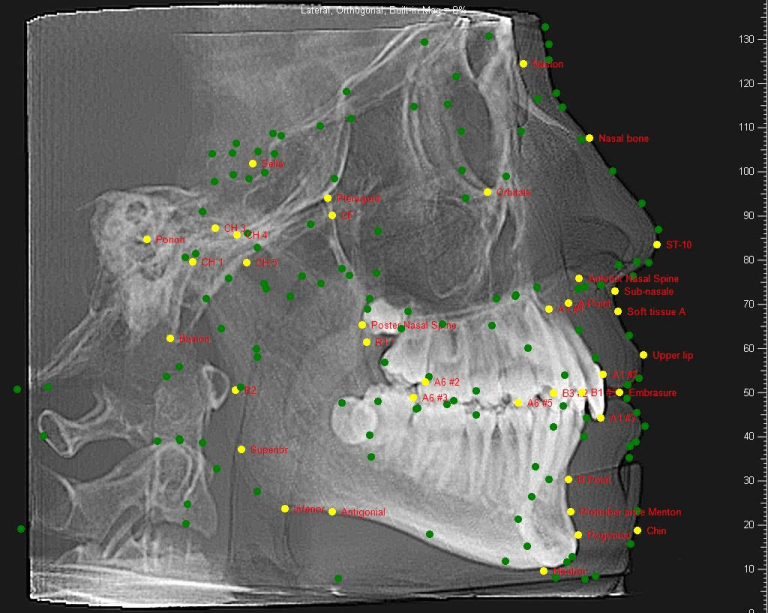
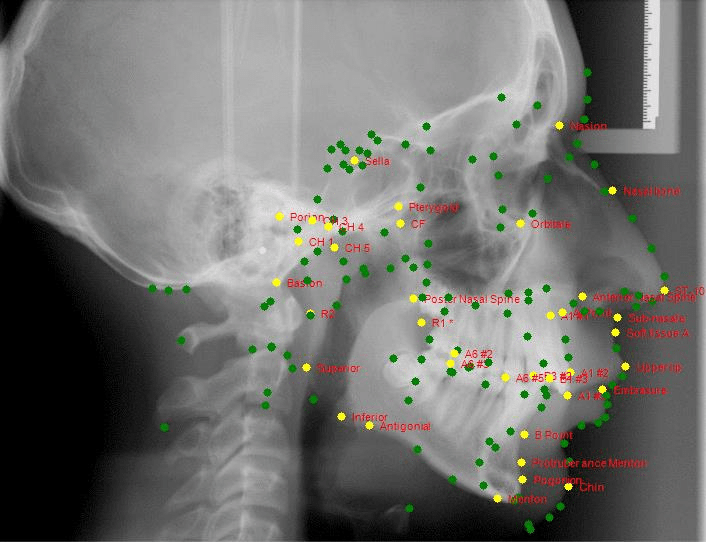
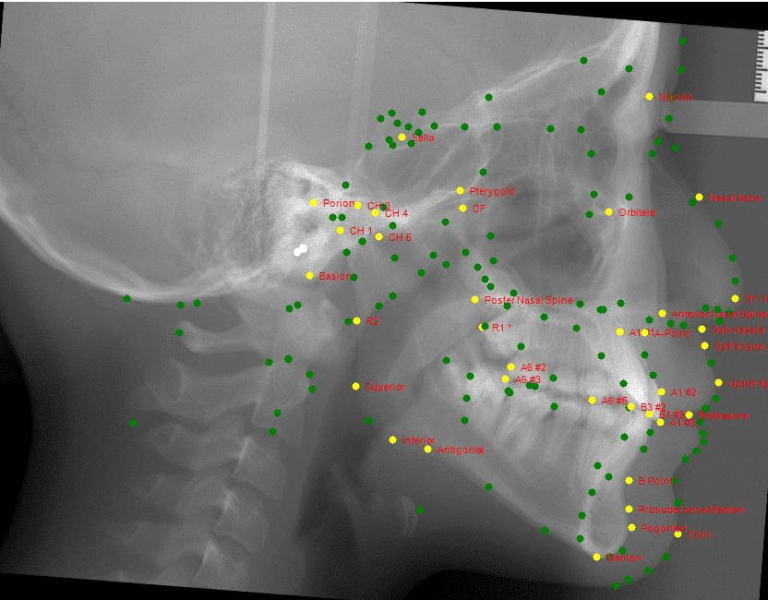
This API processes lateral cephalometric (Lat Ceph) X-ray images to detect and return 169 anatomical landmark points. It outputs precise X and Y coordinates for each point and generates an annotated image with all predicted landmarks clearly plotted.
🦷 What is the purpose of this API?
The purpose of this API is to:
• Automate landmark detection on lateral cephalometric radiographs.
• Facilitate cephalometric analysis for orthodontic and skeletal assessment.
• Enable digital tracing and automated measurements of craniofacial structures.
• Assist clinicians in planning orthodontic or surgical interventions.
🕐 When to use it?
Use this API when:
• Performing cephalometric evaluations during orthodontic consultations.
• Needing precise landmark locations for craniofacial analysis.
• Automating traditional manual tracing tasks for efficiency and accuracy.
• Integrating cephalometric analytics into AI-driven dental software platforms.
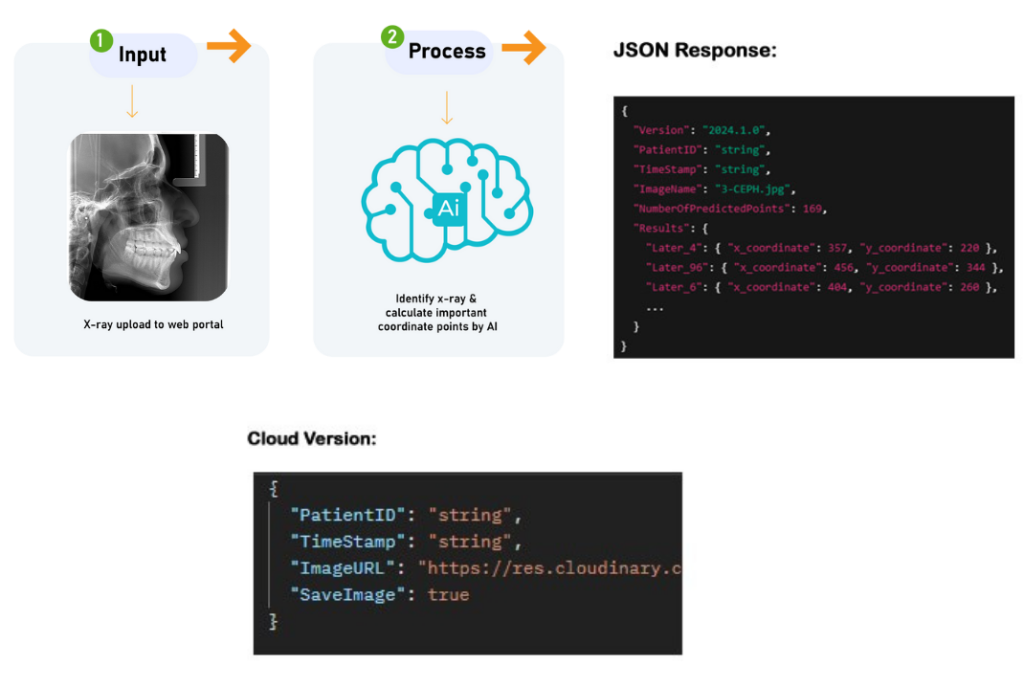
You can access this API via the following URL:
https://annie-insights-api-mgmt.azure-api.net/ai-lateral-point/
To use the API, a valid subscription key is required. You can obtain the subscription key by contacting us at [email protected]
To access a REST API using an Ocp-Apim-Subscription-Key , you must include this key in your HTTP request, either as a header or as a query parameter.
-
Method 1: Using the HTTP Header (Recommended)
The most common and secure way is to pass the subscription key in the request header.
The header name is exactly Ocp-Apim-Subscription-Key , and the value is your unique key.
Here is how you would do this using different tools/language
curl -X GET "https://annie-insights-api-mgmt.azure-api.net/ai-lateral-point/" \
-H "Ocp-Apim-Subscription-Key: YOUR_SUBSCRIPTION_KEY"
Open the Headers tab for your request.
In the Key field, type Ocp-Apim-Subscription-Key.
In the Value field, paste your actual subscription key.
Send the request
url = "https://annie-insights-api-mgmt.azure-api.net/ai-lateral-point/"
headers = {
"Ocp-Apim-Subscription-Key": "YOUR_SUBSCRIPTION_KEY"
}
response = request.get(url, headers=headers)
print(response.json())
using System.Net.Http;
var client = new HttpClient();
client.DefaultRequestHeaders.Add(Ocp-Apim-Subscription-Key", "YOUR_SUBSCRIPTION_KEY")
HttpResponseMessage response = await client.GetAsync("https://annie-insights-api-mgmt.azure-api.net/ai-lateral-point/")
string result = await response.Consent.ReadAsStringAsync();
-
Method 2: Using a Query Parameter
Some APIs also support including the key as a query parameter named subscription-key in the URL itself. This is typically checked only if the header is not present. This method is less secure as the key might be logged in server access logs or browser history.
Example URL:
https://annie-insights-api-mgmt.azure-api.net/ai-lateral-point/endpoint?subscription-key=YOUR_SUBSCRIPTION_KEY
Notes:
- This API is specific to lateral cephalometric images and does not support panoramic or clinical photos.
- Ensure input images are well-aligned, high-resolution Lat Ceph radiographs.
- The 169 points correspond to predefined anatomical landmarks used in standard orthodontic analyses.
- Output can be further integrated with automated measurement tools for full cephalometric reporting
Sample Output Images from Lateral Cephalometric API
2025 © Healthcare Digital Solution